
3rd Grade

3rd grade Workshop
Teaching coding is no easy feat, and you’ve done an exceptional job at it this school year! This workshop is designed to help you continue building your confidence with the 9 Dots curriculum during the second half of the year. We’ll begin by reviewing key coding concepts in your grade level’s curriculum, followed by dedicated planning time to ensure you are well-prepared to lead your upcoming coding lessons. Finally, we’ll provide a sneak peek of what’s to come in the Module 3 project your students will work on by the end of the year.
Quick Navigation
Quick Navigation
Coding Concept Review
Module D1 is our new Rewriters curriculum. At this point in the year, you have most likely completed Module D1 already, but if you still have questions, you can read more about our new curriculum by reading our Rewriters Overview.
Module D2 - Loops
The second module, Module D2, is centered on programming loops. A loop is a programming structure or tool that allows you to efficiently repeat a sequence of code. To effectively incorporate loops into their coding, students are required to develop skills in pattern recognition, decomposition, and backwards planning. These are core problem-solving competencies that not only enhance their coding proficiency but also support learning in other academic areas, including mathematics.
When approaching a challenge, students should be looking for patterns in the image of the goal such as lines or squares. These patterns usually can be efficiently replicated using a loop.
Watch the video below to learn more about Loops in PixelBots
Try solving this Loop challenge below!
Module D3 - Conditionals
In module D3, students are introduced to conditionals. A conditional is code that runs depending on whether a boolean1. statement is true or false. It is also known as an “if-then” statement and can be read as “If ____, then ___”.
Watch the video below to learn more about conditionals in PixelBots:
Try solving this conditionals challenge below!
💡 What challenges do you anticipate your students facing when coding with conditionals?
Review Lessons & Create Your Action Plan
Prepare for your upcoming lessons by reviewing lesson materials and creating an Action Plan. Start by reviewing the lesson plan, slideshow, and challenges, and then decide which section(s) of the lesson you’ll lead or co-lead with your coordinator.
💡 Use the Graphic Organizer for step by step instructions to create your Action Plan
Preview Module 4: Rewriters Pixel Art Project
With any remaining time you have, take a sneak peek at the project your students are building up to!
In Module D4, students end the coding year by participating in a fun and creative project, Rewriters Pixel Art. In this project, students design their own Rewriters object and code it with PixelBots! In this lesson, students will
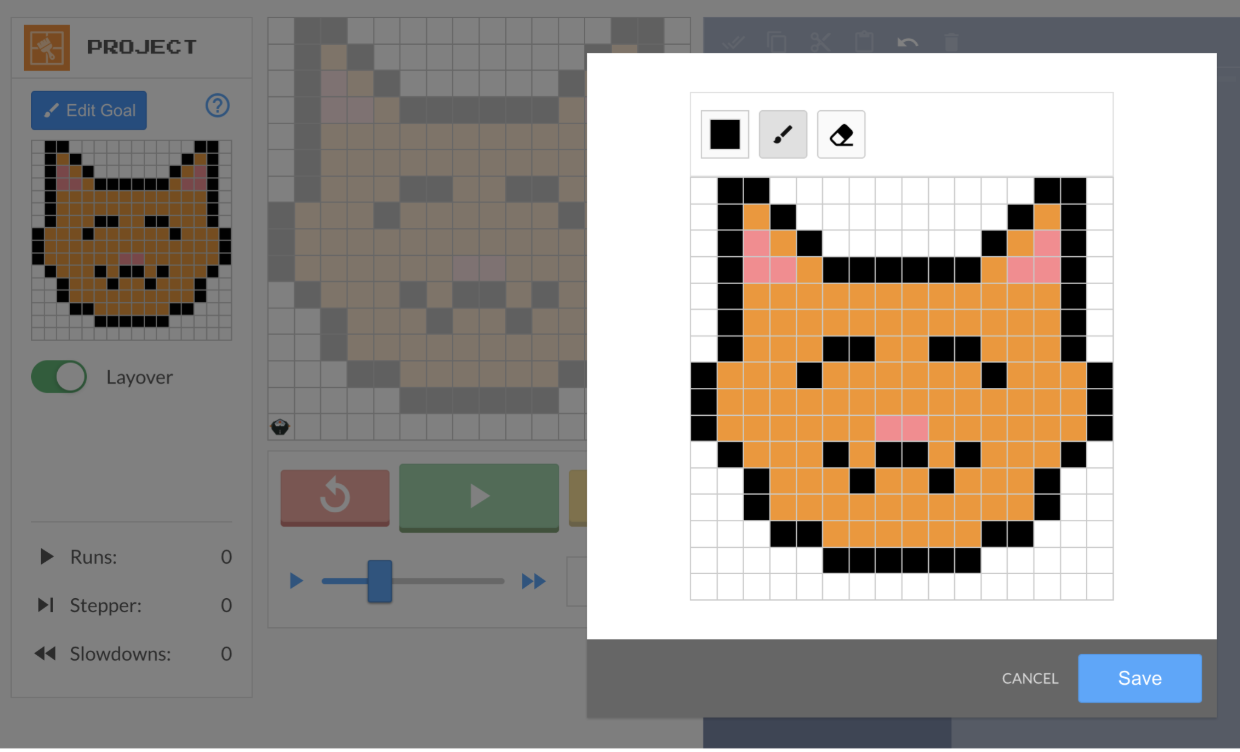
Create their own design (20 min)
Code it using loops (20 min)
Share with a partner (4 min)
Teachers are also encouraged to have students share with the whole class
You can take a deeper look at this project by reviewing the lesson here, or via the 9 Dots platform.
Survey
Thank you for attending our Semester II PD! We take teacher feedback seriously, please take our survey here.
Access Resources
For more practice, please log onto the 9 Dots platform to review lesson resources. If you need some support navigating our platform, please review the 9 Dots Teacher Guide.
If you would like some additional one-on-one support, please email your school’s Impact Manager or email us at [email protected]
Footnotes
[1] Boolean is a true or false statement.