
4th Grade

4th GradE WorkshoP
Teaching coding is no easy feat, and you’ve done an exceptional job at it this school year! This workshop is designed to help you continue building your confidence with the 9 Dots curriculum during the second half of the year. We’ll begin by reviewing key coding concepts in your grade level’s curriculum, followed by dedicated planning time to ensure you are well-prepared to lead your upcoming coding lessons. Finally, we’ll provide a sneak peek of what’s to come in the Module 3 project your students will work on by the end of the year.
Review Coding Concepts
Functions
In modules E1 & E2, students are introduced to functions. In coding, a function is a tool that allows you to define a sequence of code to perform a specific task and reuse it multiple times.
You can think of it like putting a recipe in a cookbook. Instead of researching the ingredients every time, you write the recipe once in your cookbook. A function performs in a similar way, where you define a sequence of code to perform a task once and then use it repeatedly by calling its name.

This process is “defining the function.” After defining, you use the function by “calling” it’s name in your main code, telling the computer to execute the pre-written steps, just like using a recipe from your cookbook.
When using a function you are looking to identify a pattern that repeats at different locations on the grid.

When you're coding with functions, there are two important steps to follow:
First, you define the function based on what you want to achieve in the challenge.
Second, you write a function call. This call tells the computer to use the code inside the defined function. Without a function call, the computer won't run the code.
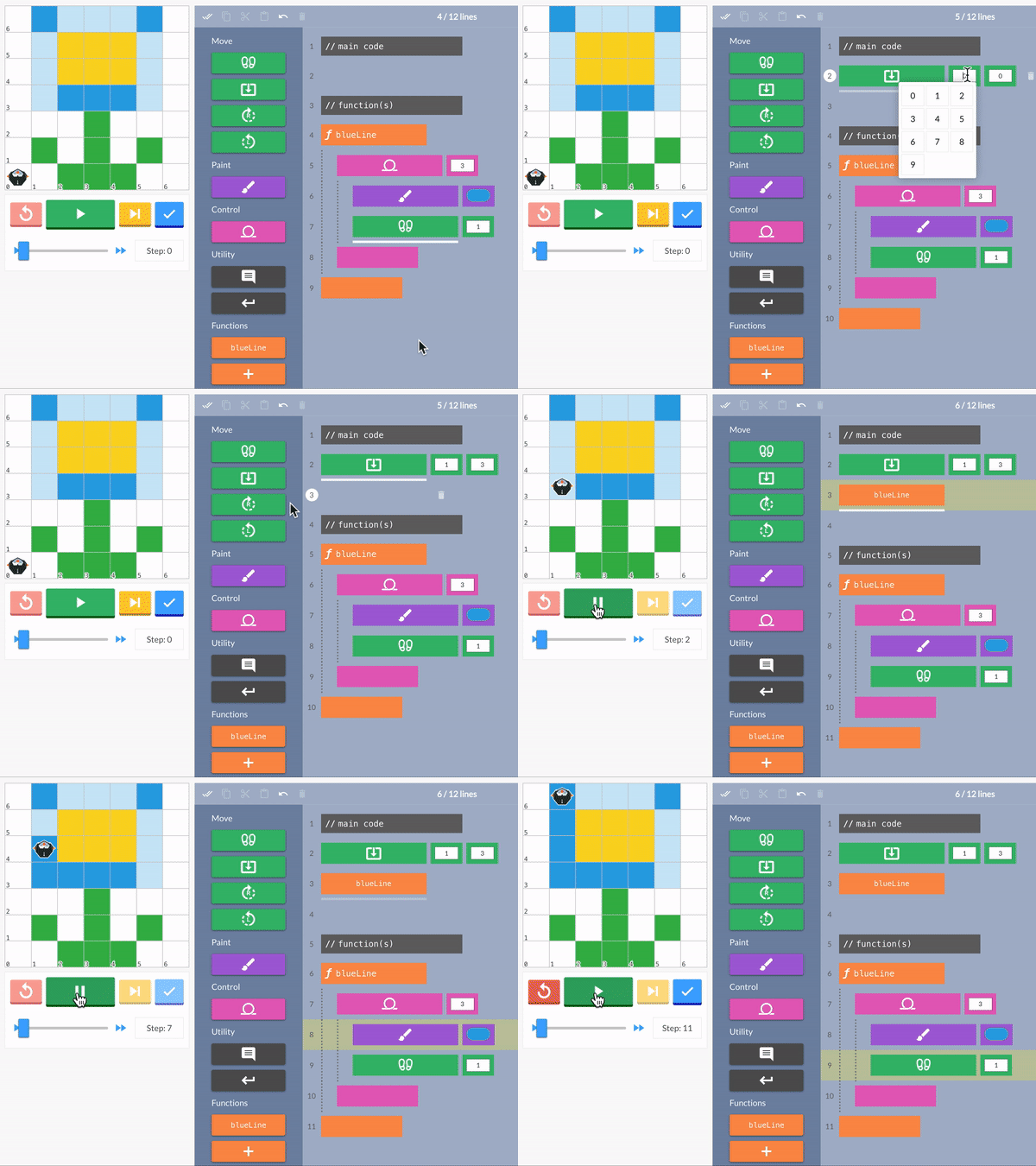
In this challenge, we will need to create three blue lines to complete the image. Therefore, first, we will define a function which creates a blue line.

Next, we call the function in the main code above to paint each blue line.
moveTo
Students will also be introduced to the ‘moveTo’ block. This block instructs the Pixelbot to move to a specific pixel on the grid using the x and y coordinates. Students will use moveTo to move PixelBot to the goal, and then call the function to complete that goal. If there are multiple goals, the student will then move to the next goal and call the function again.

Try solving this functions challenge below!
💡 Think about which challenge type(s) could be challenging for your students. What are some ways you can support them?
Review Lessons & Create Your Action Plan
Prepare for your upcoming lessons by reviewing lesson materials and creating an Action Plan. Start by reviewing the lesson plan, slideshow, and challenges, and then decide which section(s) of the lesson you’ll lead or co-lead with your coordinator.
💡 Use the Graphic Organizer for step by step instructions to create your Action Plan
Preview Module 3: MonsterQuest
With any remaining time you have, take a sneak peek at the project your students are building up to!
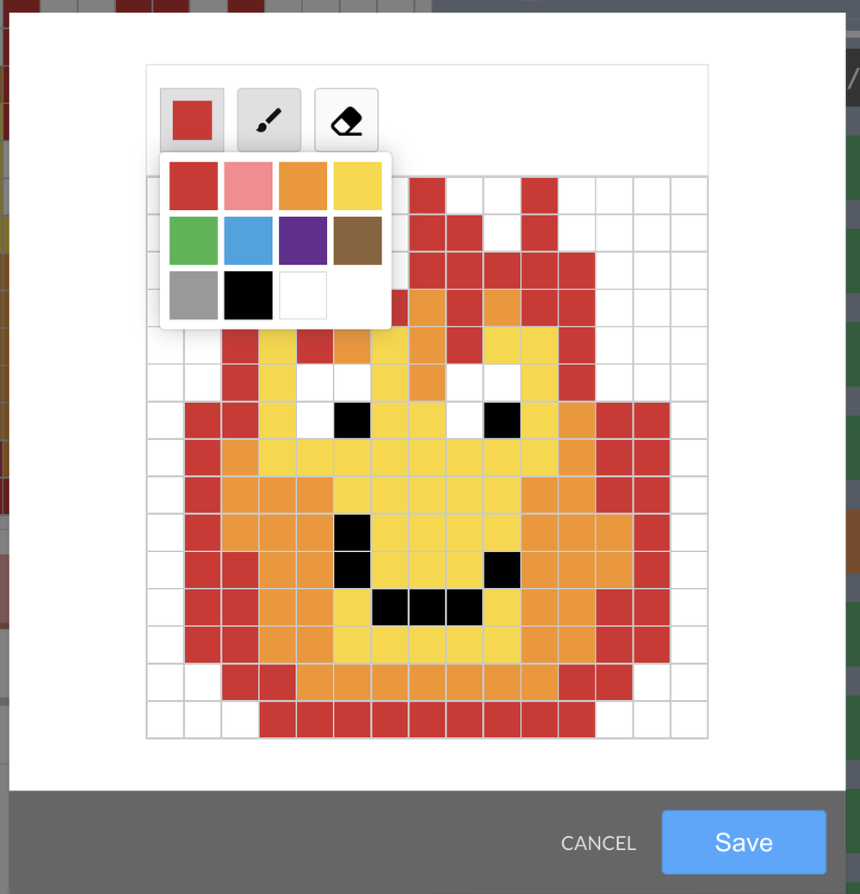
In Module D3, students end the coding year by participating in a fun and creative project, MonsterQuest, that has them code a colorful and thoughtful PixelMonster to play in a MonsterQuest board game. The project has the following requirements:
Design one Pixel Monster
Break it down with comments
Use spaces to separate chunks of code
Define and call 1st function
Define and call 2nd function
Use 3 to 4 loops
Use at least 3 colors
Use about 50% of the grid
This module consists of 10 lessons, guiding students through designing and coding their character and playing the board game:
Lesson 1
Design a character using the Character Design Handout
Decompose the character on PixelBots using comments
Lessons 2-4
Review functions
Identify parts of the character design that could use a function
Add at least 2 functions to code the character design
Reflect on progress with a partner and review code before game day
Lesson 5
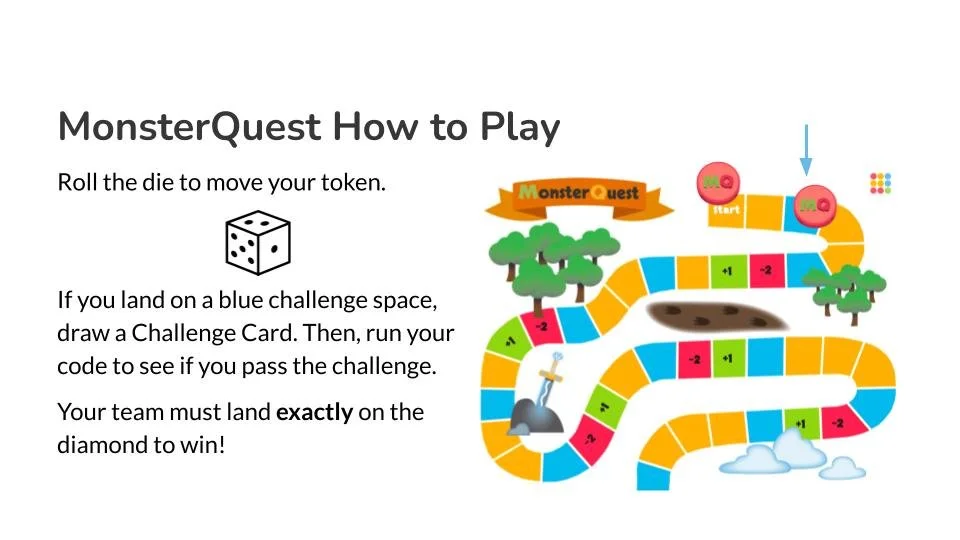
Split into small groups and play the MonsterQuest board game
Setup using the MonsterQuest Game Board (1 copy per group) and MonsterQuest Game Tokens (1 set per group)
Review code during the game using Challenge Cards (1 copy per group)