
5th Grade

5th Grade Workshop
Teaching coding is no easy feat, and you’ve done an exceptional job at it this school year! This workshop is designed to help you continue building your confidence with the 9 Dots curriculum during the second half of the year. We’ll begin by reviewing key coding concepts in your grade level’s curriculum, followed by dedicated planning time to ensure you are well-prepared to lead your upcoming coding lessons. Finally, we’ll provide a sneak peek of what’s to come in the Module 3 project your students will work on by the end of the year.
Review Coding Concepts
In module F, students are introduced to text-based coding using JavaScript on PixelBots. In the first module, students are introduced to loops. A loop is a programming structure or tool, which will allow students to program repeating patterns efficiently. After reviewing loops, students will learn to define and call functions to create reusable code in module 2. Mid-module, students are introduced to parameters, a special kind of variable used in functions that allow customization for a specific need. Let’s explore all three concepts below.
1) Loops
A loop is a programming structure or tool that efficiently repeats a sequence of instructions. When using the loop tool, identified by the pink ‘repeat’ button in JavaScript on PixelBots, you are looking to identify a sequence of code that repeats. We often use loops to repeat a sequence of code to draw patterns like lines and squares.
In lesson 1.05, students learn to identify patterns and use loops in Javascript. Watch this video to learn how to solve a challenge using loops: :
Try solving this challenge from lesson 1.05!
2) Functions
In coding, a function is like a recipe in a cookbook: you define a sequence of code to perform a task and then use it repeatedly by calling its name. This process involves two main steps: defining the function (writing the 'recipe') and then calling it in your code (using the 'recipe'). This is a crucial skill covered in depth throughout the second module.
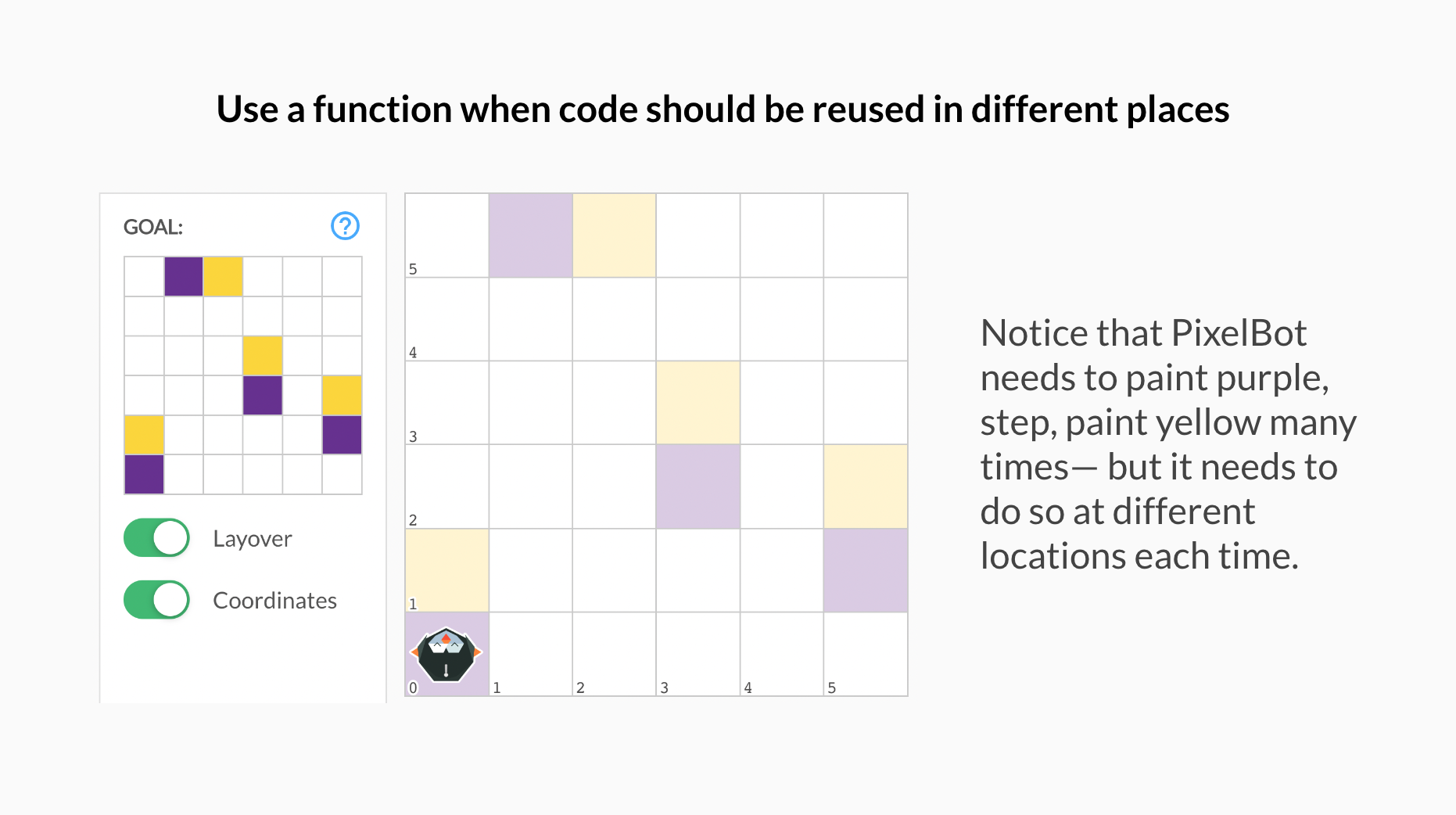
In lesson 2.01, students are introduced to functions. Watch the video below to learn how to step through a function in a reading challenge:
Try solving this challenge from lesson 2.01!
💡 What are the differences between loops and functions?
3) Functions & Parameters
A parameter is a special kind of variable1 used in a function that allows you to customize it for a specific need. In JavaScript on Pixelbots, we focus on utilizing length and color parameters to customize our functions.
In lesson 2.06, students are introduced to functions with one parameter. Watch the video below to learn how to solve a challenge by calling a function with one parameter:
Try solving this challenge from lesson 2.06!
💡 Think about which challenge type(s) could be challenging for your students. What are some ways you can support them?
For more practice on these concepts, click here to visit the Teacher Certification Modules.
Review Lessons & Create Your Action Plan
Prepare for your upcoming lessons by reviewing lesson materials and creating an Action Plan. Start by reviewing the lesson plan, slideshow, and challenges, and then decide which section(s) of the lesson you’ll lead or co-lead with your coordinator.
💡 Use the Graphic Organizer for step by step instructions to create your Action Plan
Preview Module 3: PixelBots JS Mystery
With any remaining time you have, take a sneak peek at the project your students are building up to!
In Module F3, students end the coding year by participating in a fun and creative project, JavaScript Mystery, that has them code their own video game character and solve a hacker mystery. The project has the following requirements, also listed on this project checklist:
Code
Has at least one function with a color parameter
Has at least one function with a length parameter
Uses loops where patterns are present
Has at least one function with a loop
Organization/Readability
Organizes code with comments and line breaks
Names of functions and parameters match their purpose
Design/Creativity
Uses at least 2 colors
Fills 50-75% of the grid
This module consists of 10 lessons, guiding students through designing and coding their character and playing the mystery hacker game:
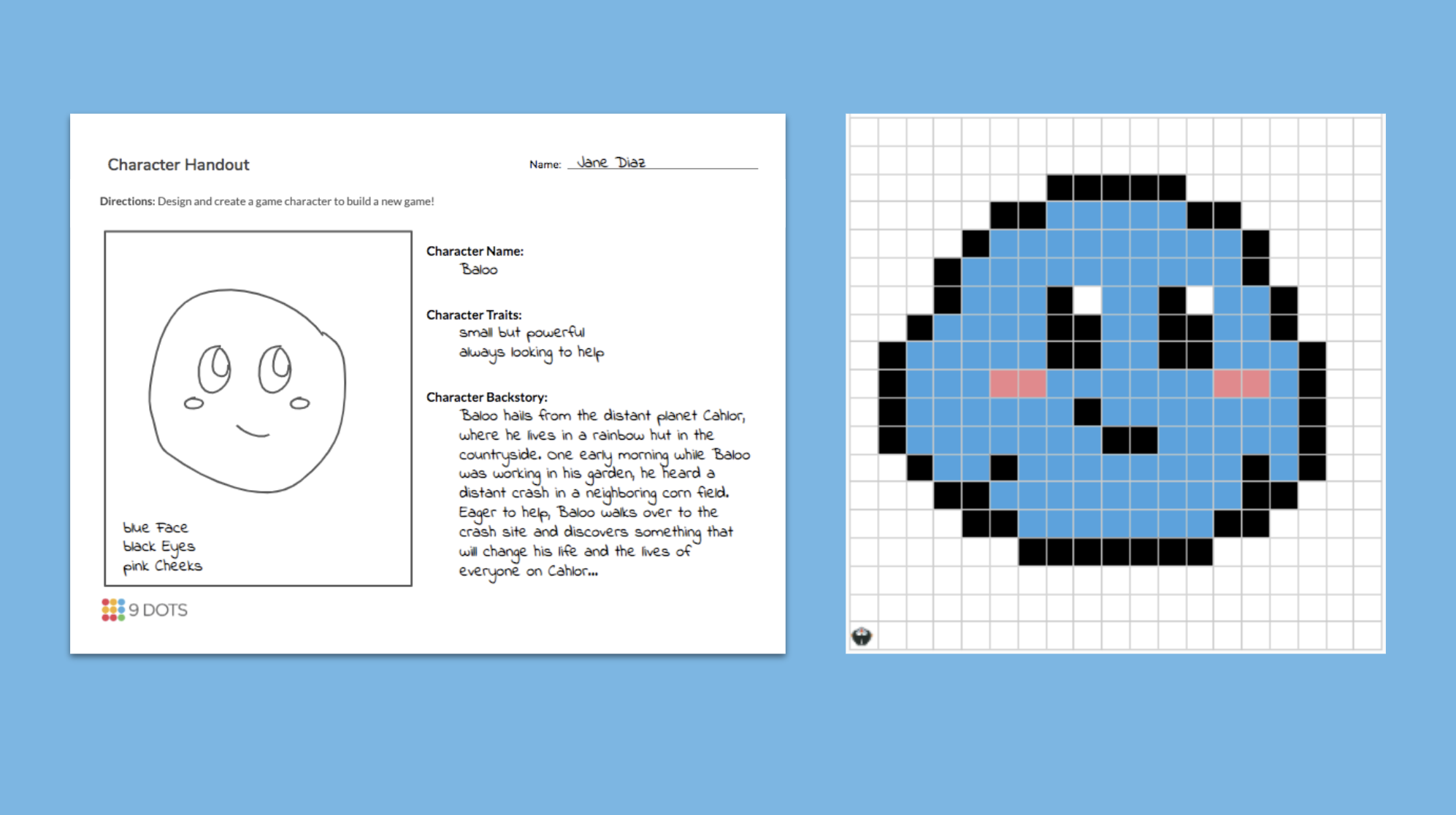
Students will sketch their character & then design it on the 9 Dots platform
Lesson 1
Design a character using the Character Design Handout (print 1 copy per student)
Decompose and transfer the character design to PixelBots using pseudocode
Lesson 2
Plan and define the functions that will be used in the program
Begin writing code to complete the character
Call functions in the program
Lessons 3-4
Continue writing and finalizing code to complete the character
Perform code reviews with a partner to collect feedback
Edit the program using a partner’s feedback
Review parameters and include a function with parameters in the program
Lesson 5
Team up with a partner to play the mystery game
Collect clues during the game by reviewing a partner’s program & fulfilling project requirements
Use the Guess the Hacker handout (print 1 copy per student) to identify the mystery hacker
Lessons 6-10
Repeat the same process outlined above, only this time students reflect on their original video game character design to create a villain character.
You can take a deeper look at this module by reviewing the Scope and Sequence here, or via the 9 Dots platform.
Survey
Thank you for attending our Semester II PD! We take teacher feedback seriously, please take our survey here.
Access Resources
For more practice, please log onto the 9 Dots platform to review lesson resources. If you need some support navigating our platform, please review the 9 Dots Teacher Guide.
If you would like some additional one-on-one support, please email your school’s Impact Manager or email us at [email protected]
Footnotes
[1] A variable is a container for storing information or data